Lead Designer
Art, Development,
Curriculum Design
4 Weeks
Figma, Confluence
The design outlined here is part of a product called Reading Park that teaches literacy to students K-2. This is one lesson in a larger set of lessons focused on fluency and syllabication.
Every new lesson starts out with an Academic Requirements page, created by Curriculum Designers.
The Academic Requirements page covers a wide variety of critical information, but the main focus for me as a designer is to uncover two key components —
What are we trying to teach the student?
How is the lesson taught in the classroom?
Teaching students how to read is done, in part, by providing a variety of tools that allow the students to decode text.
One of these decoding tools is called “syllabication”. Syllabication shows students how to break up longer words into smaller chunks (syllables) so that they can sound them out.
For a student to fully grasp the concept of syllabication they should be competent in two things —
Identifying the number of syllables a word has.
Identifying where the syllable breaks are in a word.
Syllabication is taught in the classroom in a variety of different ways, here are a few common examples —
Identifying vowels and consonants.
Cutting in between letters typed on paper.
Drawing a line between letters typed on paper.
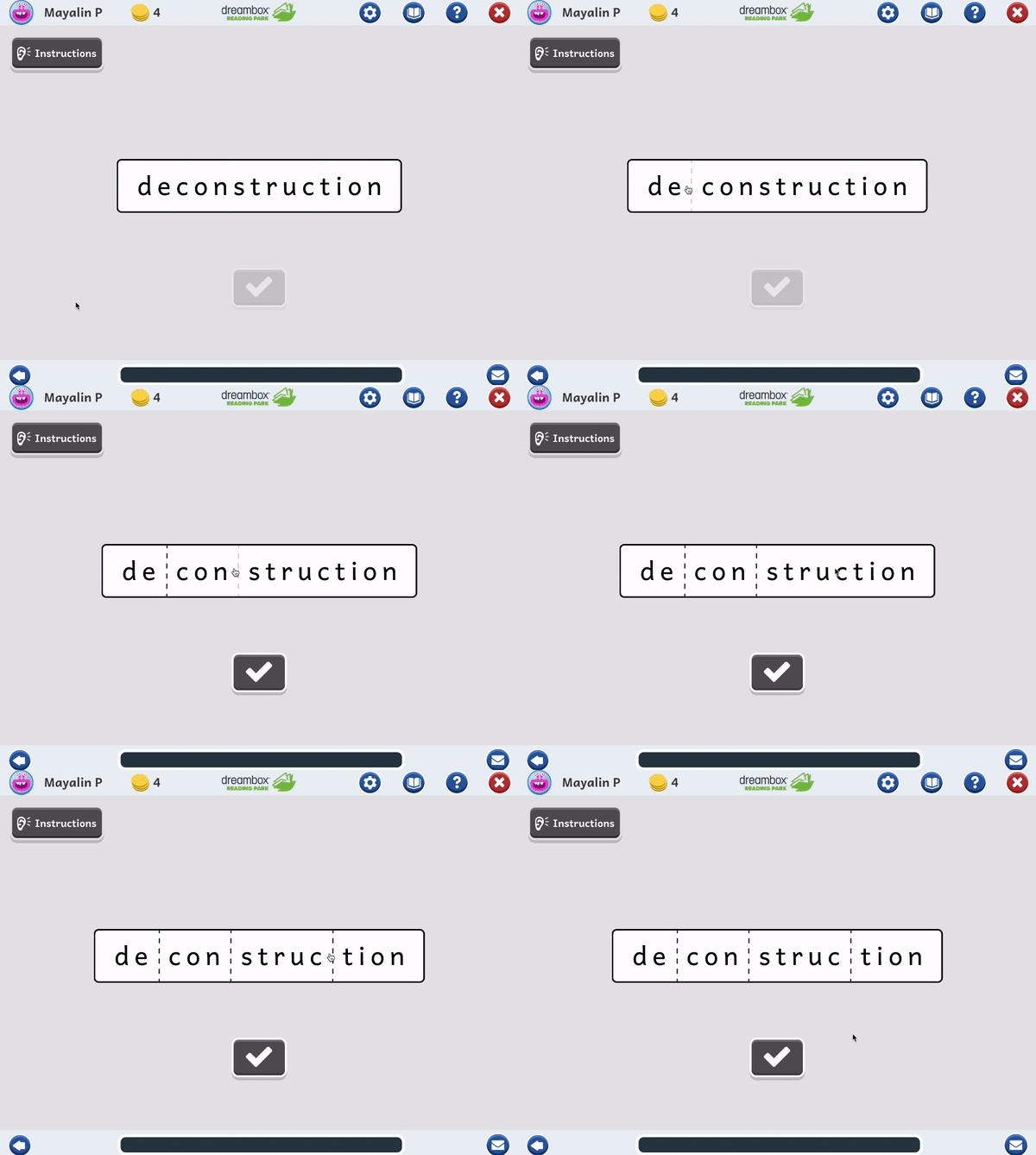
The student uses their mouse to hover between letters, then presses to commit a division.
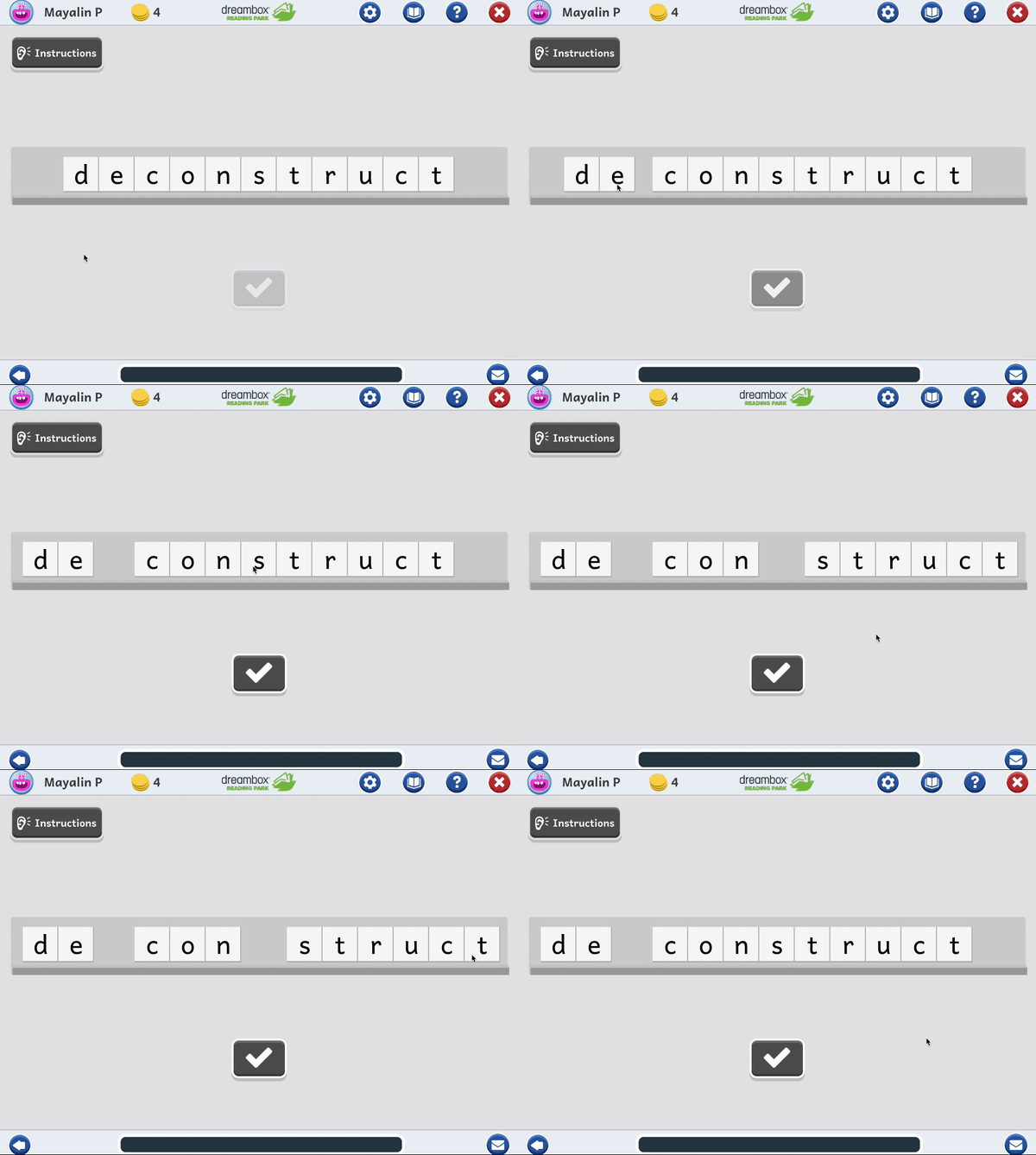
The student uses their mouse or finger to move and push letters away and towards each other.
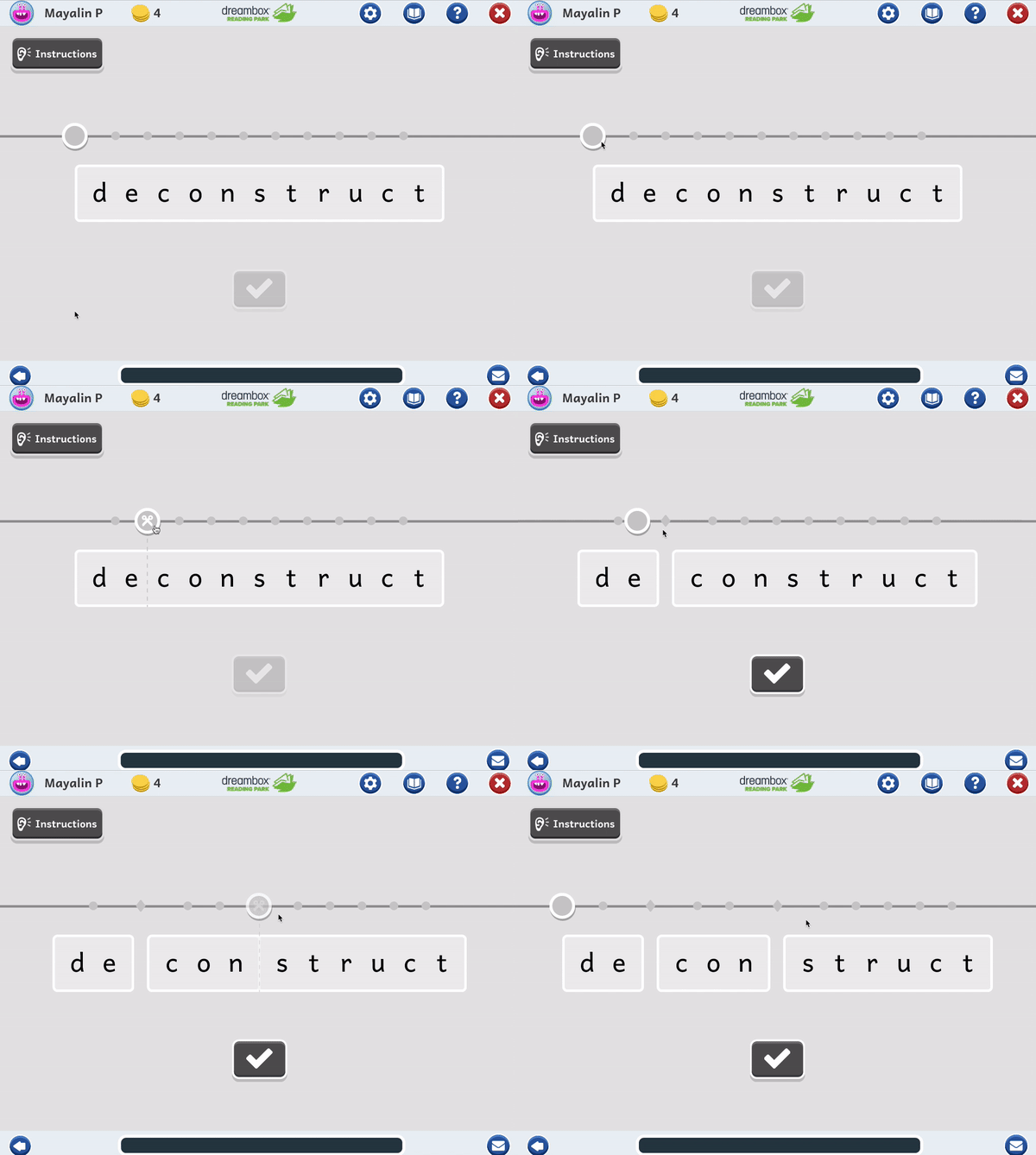
The student moves a knob along a track to where they want to divide the word, then presses the knob to cut.
How will students fix mistakes?
Which option will be the most intuitive for keyboard navigation?
Because this is the first lesson in this set, can we build something here that can be leveraged in other syllabication lessons?
What will the feedback look like?
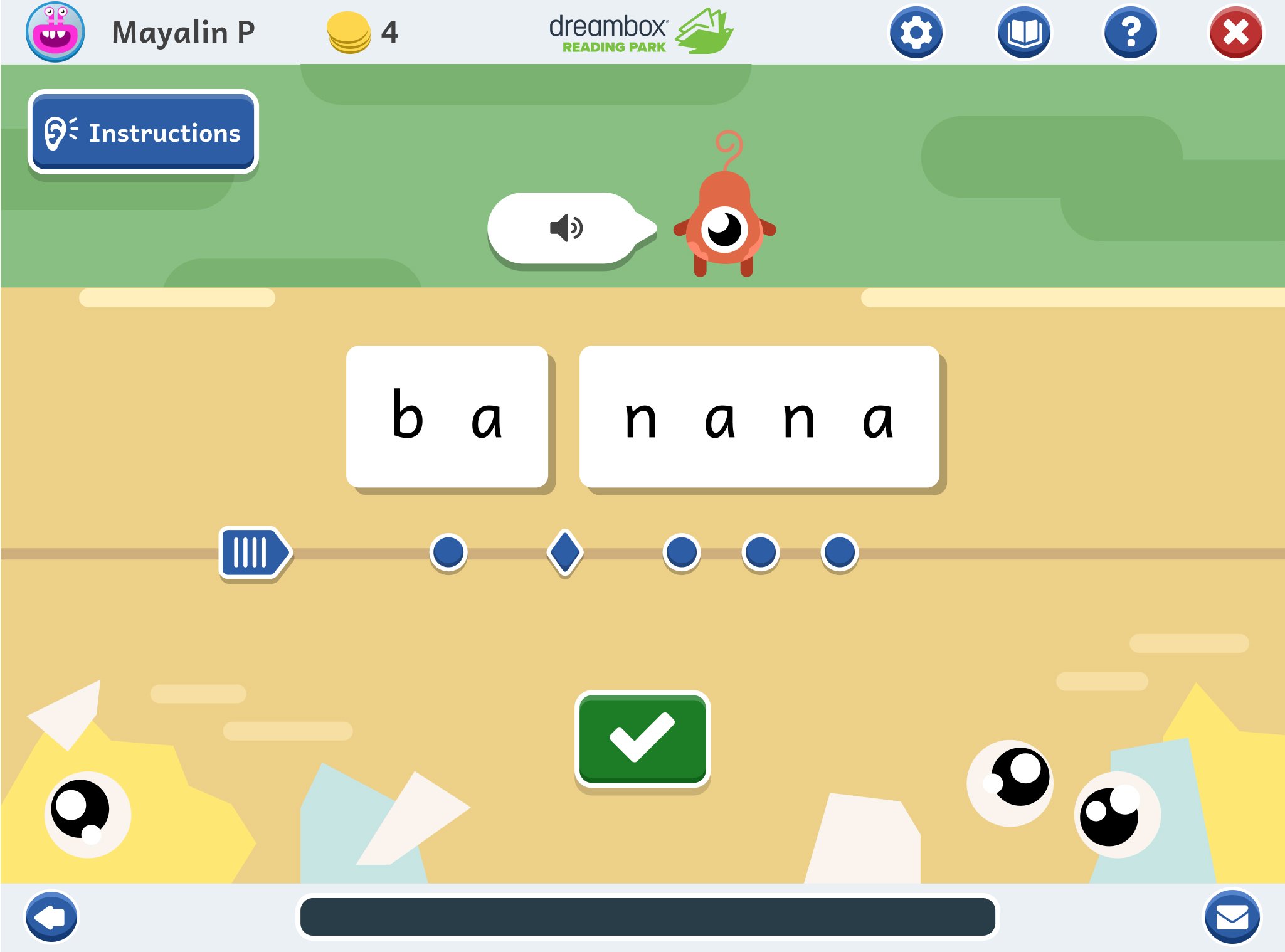
After continued iteration and back and forth with the team, we landed on a design.
This first pass outlines the student experience for a standard correct and incorrect pathway.
In these examples, the student is instructed to find the syllable breaks in the word "banana".
Students can correct a mistake by "taping" back together a cut that they have made.
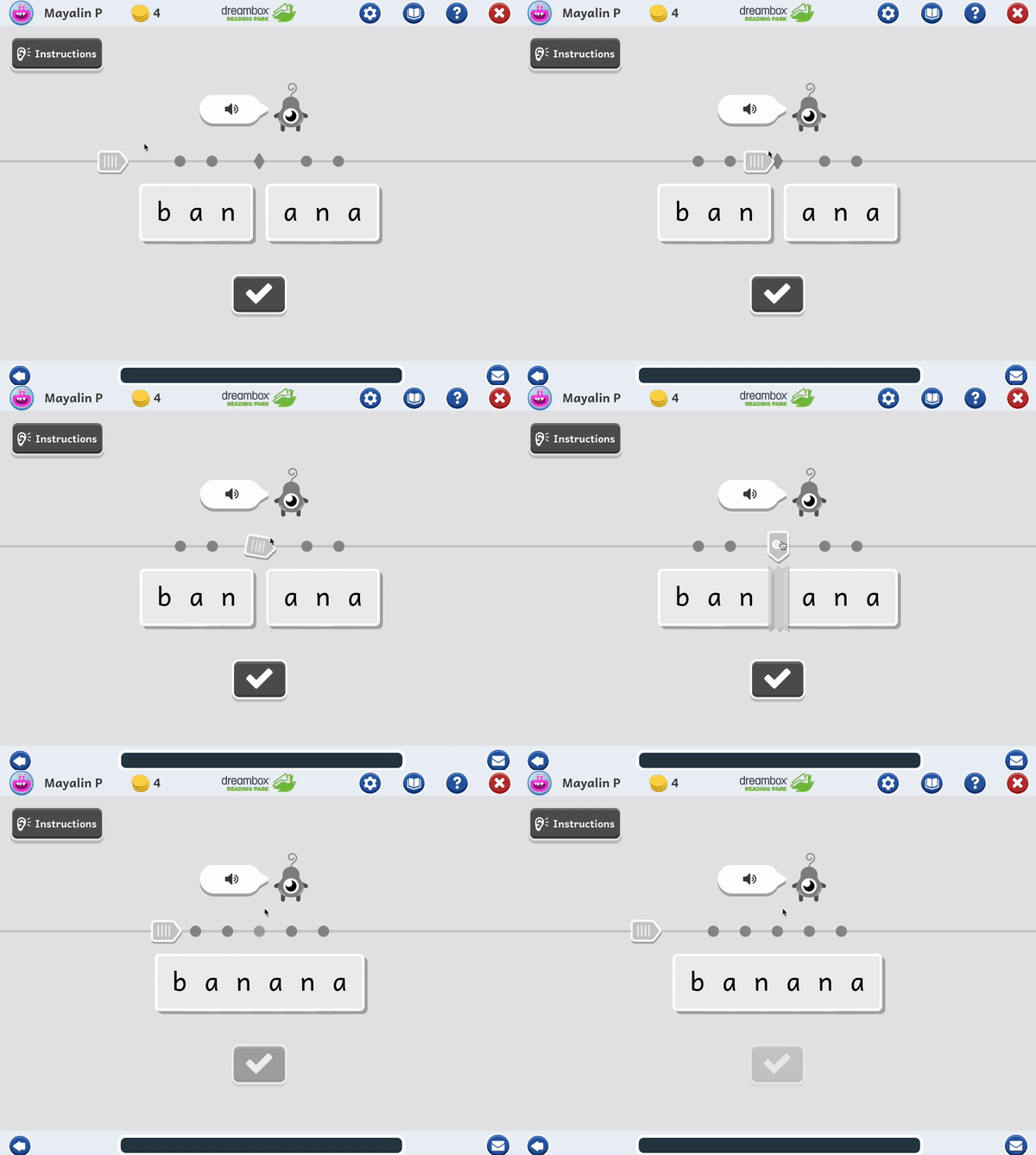
More savvy users can make quick cuts and repairs by pressing directly on the node they would like to interact with.
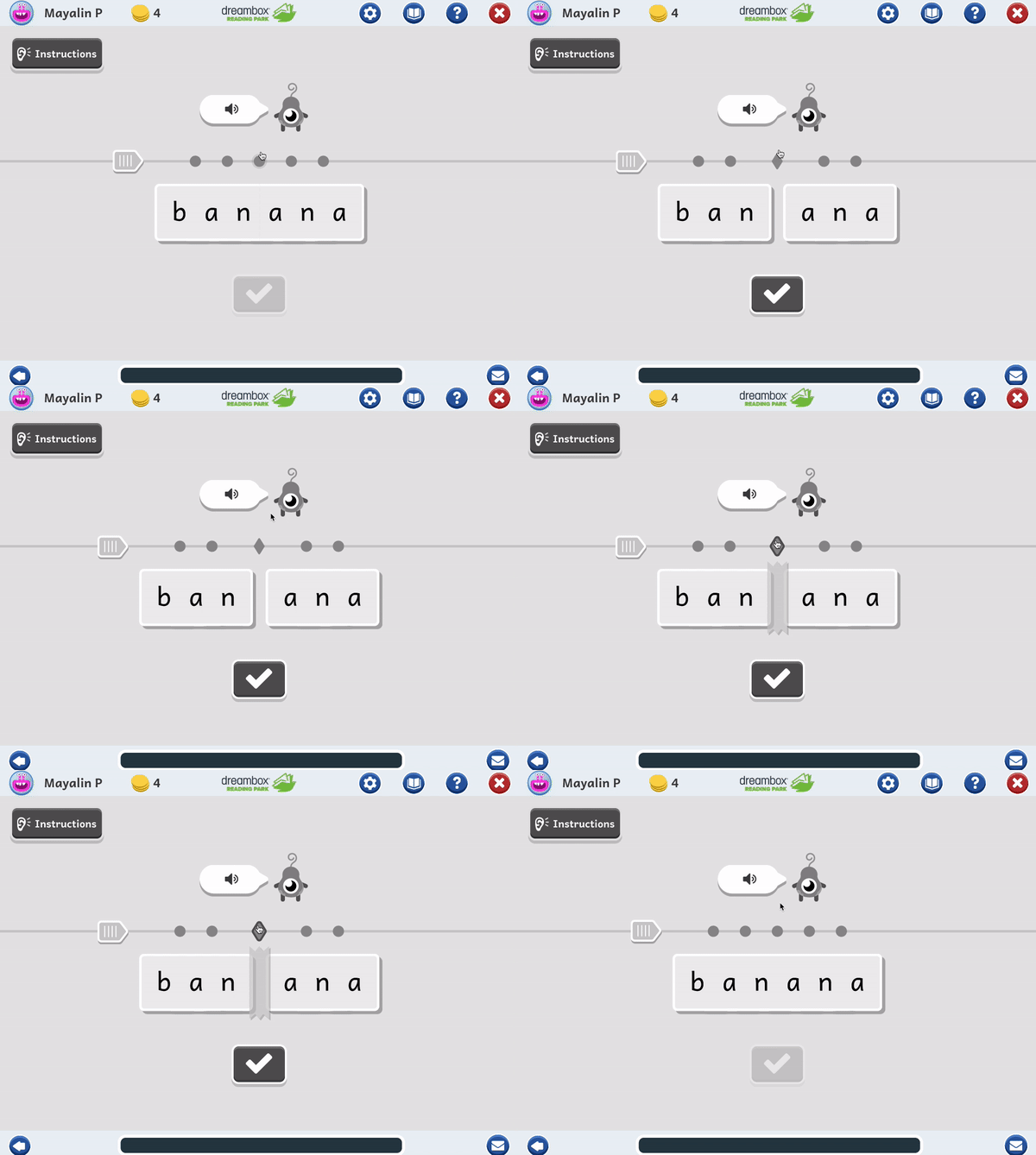
#1 | Doesn't require students to have the dexterity to draw a straight line.
#2 | Has a simple path for supporting keyboard navigation, which is always a goal when designing an accessible lesson.
#3 | Doesn't rely on hover for any feedback or interactions, which is important for our students who use a touch device.
#4 | Requires a component that we can leverage in other lessons throughout the product.
#5 | Allows the student to view the entire word at the start of the lesson, without any obstruction between letters.
#6 | The interaction is engaging and allows for delightful possibilities from the Art and Animation team.
This lesson design is currently in development. The Art team has started iterating on the look and feel for the lesson, based on existing patterns within the platform.
My role now is to work closely with the Art and Development team as they develop and implement the design.
I will also start work with the Curriculum team to iterate on mistake-type feedback. This includes defining behaviors and feedback that the student will receive for a variety of specific mistakes that they might make in the lesson (this looks beyond the standard correct and incorrect pathway).